

HVAC commissions, calculated per job.
Install and service commissions, spiffs, overrides and bonuses, calculated automatically. Plus hiring, background checks, onboarding, HR and payroll, in one platform.


 HVAC
HVACBook a demo
See it run your HVAC comp plans.
A 30-minute walkthrough on your comp plans.

Plugs into the HVAC systems you already run.
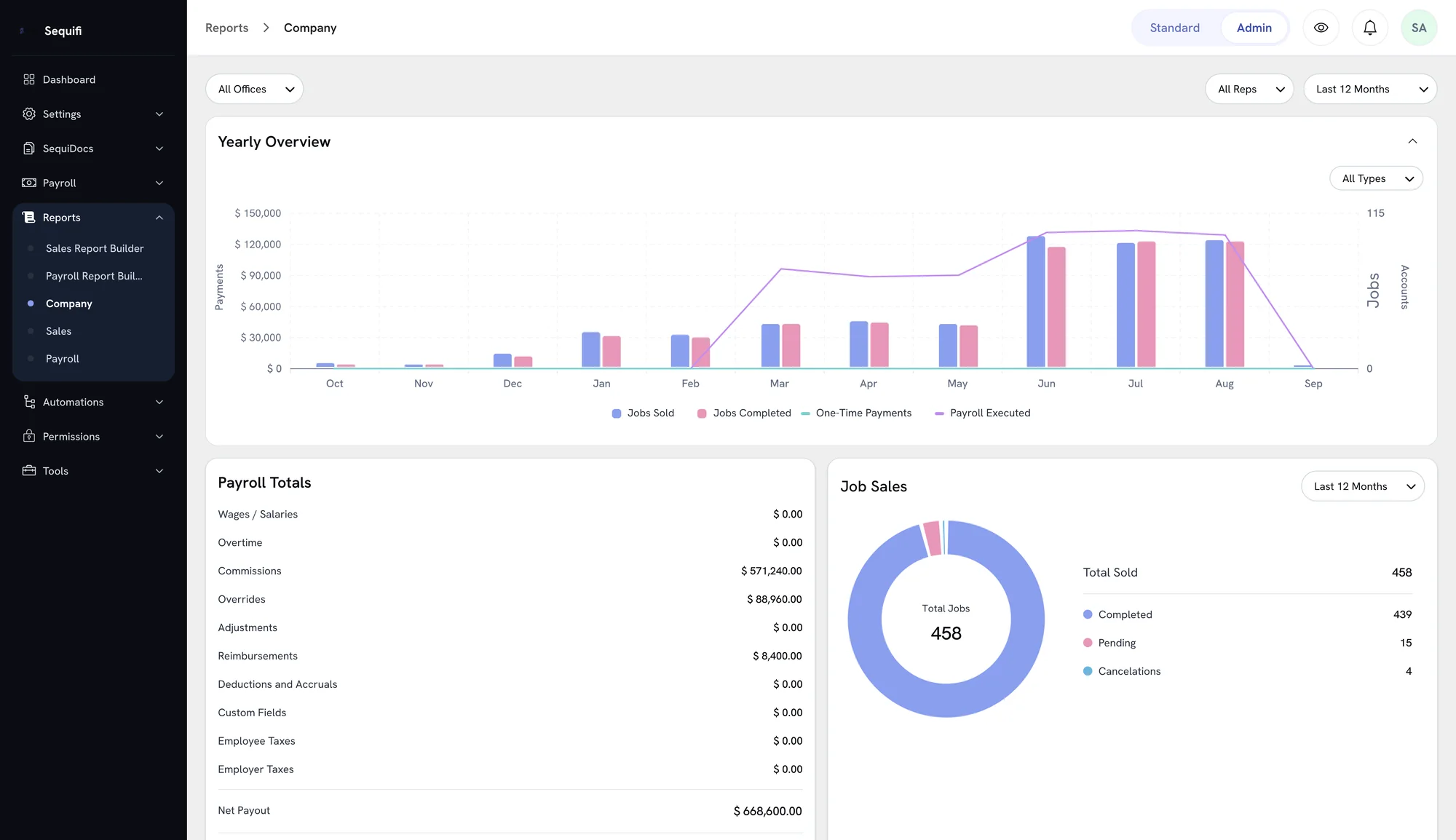
Job, dispatch and CRM data flows into Sequifi from the systems your team already works in, so commission calculates without an export or a spreadsheet.

JobNimbus
Field CRM

Jobber
Field service CRM

Notifi
Scheduling & dispatch

HubSpot
CRM

Salesforce
CRM
Not just commissions. Everything from hire to paid
Hiring, background checks, onboarding, HR and payroll run in the same system as your hvac commissions, so a new tech goes from applicant to paid without a second tool.
- 1
Hire
- Digital applications and hiring workflows
- Background checks run through Sequifi
- Applicant tracking in one pipeline
- 2
Onboard
- Offer letters, W-4, I-9 and direct deposit, e-signed in SequiDocs
- Pay structure and commission plan flow in when onboarding is done
- 3
Manage
- Every employee’s role, territory and manager in one place
- Role and plan changes flow through to payroll
- 4
Calculate
- Commissions, overrides and clawbacks by rule
- Every rep sees how their pay was built
- 5
Pay
- Payroll for W-2 employees and 1099 contractors
- Same-day or next-day pay
Trusted by commission-driven teams
Trusted by 20,000+ reps, managers, and operators


'%3e%3cpath%20d='M31.2869%2012.8799H33.7746C33.9584%2014.5955%2035.0859%2015.4656%2037.1325%2015.4656C38.5908%2015.4656%2039.7918%2014.8406%2039.7918%2013.5171C39.7918%2012.0833%2038.4682%2011.7647%2036.3481%2011.2745C33.8604%2010.723%2031.7771%2010.0612%2031.7771%207.38966C31.7771%204.86515%2033.8604%203.59064%2036.7035%203.59064C39.804%203.59064%2041.5932%205.07348%2041.8506%207.53672H39.4364C39.2403%206.22544%2038.2476%205.49015%2036.679%205.49015C35.1962%205.49015%2034.2035%206.11515%2034.2035%207.16907C34.2035%208.40681%2035.4903%208.72544%2037.5614%209.15436C40.0369%209.69358%2042.3163%2010.4289%2042.3163%2013.3088C42.3163%2015.9558%2040.0981%2017.4509%2037.1325%2017.4509C33.4805%2017.4509%2031.4094%2015.6004%2031.3114%2012.8799H31.2869Z'%20fill='black'%3e%3c/path%3e%3cpath%20d='M46.9485%2012.647V3.79901H49.424V12.598C49.424%2014.3872%2050.4044%2015.3064%2052.3039%2015.3064C54.2034%2015.3064%2055.1348%2014.3505%2055.1348%2012.5613V3.79901H57.6226V12.6348C57.6226%2015.7843%2055.5637%2017.3652%2052.2794%2017.3652C48.9951%2017.3652%2046.9363%2015.8088%2046.9363%2012.6348L46.9485%2012.647Z'%20fill='black'%3e%3c/path%3e%3cpath%20d='M62.451%203.79901H65L69.424%2010.7966C70.1348%2011.9608%2071.0907%2013.897%2071.0907%2013.897H71.1397C71.1397%2013.897%2070.9926%2011.8137%2070.9926%2010.4902V3.79901H73.3456V17.1446H70.7966L66.3848%2010.1838C65.6495%208.99509%2064.7059%207.05882%2064.7059%207.05882H64.6691C64.6691%207.05882%2064.7917%209.14215%2064.7917%2010.4657V17.1323H62.4387V3.79901H62.451Z'%20fill='black'%3e%3c/path%3e%3cpath%20d='M79.0688%203.79901H81.5443V14.9755H88.0394V17.1446H79.0811V3.79901H79.0688Z'%20fill='black'%3e%3c/path%3e%3cpath%20d='M94.5713%2011.8749L89.8899%203.81122H92.635L94.5222%207.18132C95.1105%208.25975%2095.8458%2010.0367%2095.8458%2010.0367H95.8825C95.8825%2010.0367%2096.6301%208.28426%2097.2306%207.18132L99.1301%203.81122H101.765L97.0713%2011.9117V17.1446H94.5835V11.8749H94.5713Z'%20fill='black'%3e%3c/path%3e%3cpath%20d='M115%203.79901H117.475V9.16666H123.37V3.79901H125.858V17.1446H123.37V11.2255H117.475V17.1446H115V3.79901Z'%20fill='black'%3e%3c/path%3e%3cpath%20d='M129.963%2010.5147C129.963%206.51958%20132.488%203.55389%20136.52%203.55389C140.552%203.55389%20143.076%206.50732%20143.076%2010.5147C143.076%2014.522%20140.552%2017.451%20136.52%2017.451C132.488%2017.451%20129.963%2014.4975%20129.963%2010.5147ZM140.539%2010.5147C140.539%207.73282%20139.179%205.60046%20136.544%205.60046C133.909%205.60046%20132.488%207.73282%20132.488%2010.5147C132.488%2013.2965%20133.885%2015.3554%20136.544%2015.3554C139.204%2015.3554%20140.539%2013.272%20140.539%2010.5147Z'%20fill='black'%3e%3c/path%3e%3cpath%20d='M147.194%203.79901H150.478L152.66%2010.147C153.174%2011.7034%20153.824%2014.6323%20153.824%2014.6323H153.873C153.873%2014.6323%20154.522%2011.7279%20155.025%2010.147L157.182%203.79901H160.539V17.1446H158.223V10.1838C158.223%208.72548%20158.383%206.0294%20158.383%206.0294H158.346C158.346%206.0294%20157.794%208.48038%20157.365%209.81617L154.841%2017.1446H152.831L150.282%209.81617C149.853%208.49264%20149.302%206.0294%20149.302%206.0294H149.265C149.265%206.0294%20149.424%208.73774%20149.424%2010.1838V17.1446H147.206V3.79901H147.194Z'%20fill='black'%3e%3c/path%3e%3cpath%20d='M166.605%203.79901H176.36V5.91911H169.081V9.21568H175.515V11.201H169.081V14.9632H176.52V17.1323H166.605V3.79901Z'%20fill='black'%3e%3c/path%3e%3cpath%20d='M11.5195%2020H1.45825L8.19845%2011.2133H18.2597L11.5195%2020Z'%20fill='%233680F8'%3e%3c/path%3e%3cpath%20d='M10.0613%208.78677H0L6.7402%200H16.8015L10.0613%208.78677Z'%20fill='%233680F8'%3e%3c/path%3e%3c/g%3e%3cdefs%3e%3cclipPath%20id='clip0_424_22397'%3e%3crect%20width='176.52'%20height='20'%20fill='white'%3e%3c/rect%3e%3c/clipPath%3e%3c/defs%3e%3c/svg%3e)













Trusted by 20,000+ reps, managers, and operators across commission-led teams
Install, service and spiffs. Three ways to get paid
A tech earns commission on install jobs, a different rate on service calls, plus spiffs for selling maintenance plans on the spot. Held together in a spreadsheet, one missed spiff means an underpaid tech, and finance catches it weeks later.
HVAC install job
$9,000
8% tech commission, plus a spiff
Install tech
8% of job value
$720.00
Maintenance plan spiff
Flat per plan sold
$50.00
Paid on this job
$770.00
Illustrative example. Sequifi calculates every line from your own comp plans.
From completed job to payday. One connected flow
The same job, followed all the way through. No CRM export, no commission spreadsheet, no re-keying into payroll.
- 1
Job completes in your CRM
A $9,000 install job is completed - 2
Spiffs applied
A maintenance plan is sold on the visit - 3
Comp plan calculated
Tech commission and spiff, by rule - 4
Ops reviews and approves
Every line checked before anything pays - 5
Paid, and the tech sees it
$720.00, traced to the job
Install rates, spiffs and overrides without the spreadsheet
Configure each plan once and Sequifi runs it against every job, the same way, every cycle.
Install commission
Techs earn a percentage of the install job value.
Service call rates
A separate, lower rate for service and repair calls.
Spiffs
Flat bonuses for maintenance plans and add-on sales.
Manager overrides
Overrides calculated on top of the tech, without double math.
Tiered commission rates
Rates step up as a tech crosses a job-volume threshold.
Clawbacks
A cancelled or refunded job comes back out of the next cycle.
Draws with recovery
Recoverable draws for techs ramping up.
Role-based plans
Different plans for install techs, service techs and managers.

Every tech knows what they earned
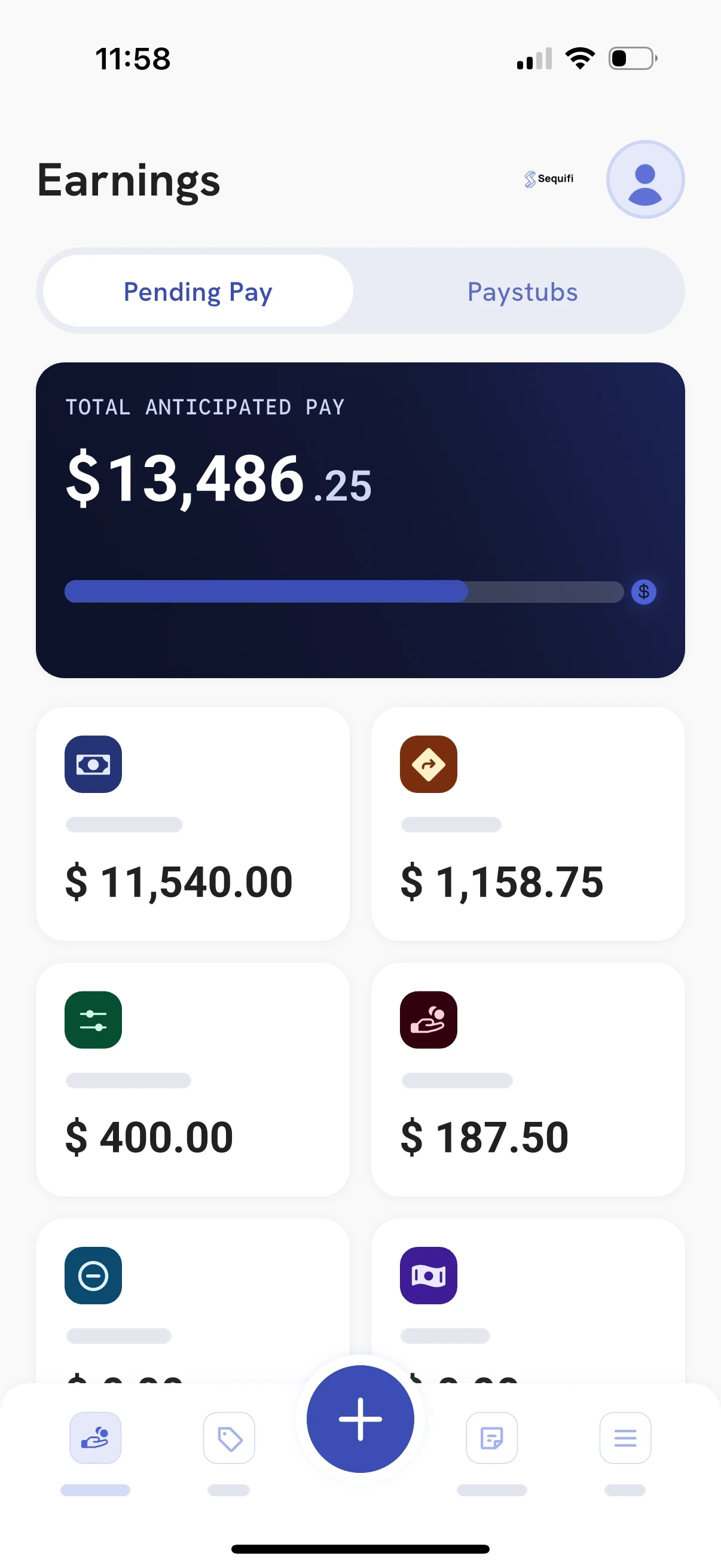
Techs log in and see their pending pay broken into commissions, spiffs and adjustments, so they understand their number before payday instead of asking the office to check it.
For HVAC techs
Every job and exactly how the commission was built.
For dispatch managers
Override earnings across the team, without a spreadsheet.
For ops and payroll
Fewer "check my pay" questions, because the breakdown is already there.

Every job, every tech, paid right.
Install and service commissions, spiffs, overrides and bonuses. Sequifi runs the HVAC comp your team actually uses and moves it straight to payroll.
HVAC commission software questions
How does Sequifi handle HVAC commission structures?
Sequifi handles the full range of HVAC comp structures: install commission, separate service call rates, spiffs for add-on sales, manager overrides and clawbacks. You configure each plan once and Sequifi calculates every cycle automatically.
Can Sequifi calculate spiffs for maintenance plan sales?
Yes. You set the spiff rule (a flat amount per plan sold, for example) and Sequifi applies it automatically alongside the tech's job commission.
Can install techs and service techs be on different comp plans?
Yes. Every role can have its own plan: a percentage rate for install jobs, a different rate for service calls, with overrides for managers on top.
Does Sequifi connect to our HVAC CRM?
Yes. Sequifi works with the field service and CRM systems on our integrations page, including JobNimbus, Jobber, HubSpot and Salesforce.
Can Sequifi handle hiring and background checks too?
Yes. Sequifi covers the whole path from hire to paid: digital applications, background checks and pre-hire agreements, then onboarding documents e-signed in SequiDocs. When onboarding is complete, the new hire's pay structure, commission plan and direct deposit flow straight into payroll.
See how the same engine powers sales commission software across every commission-driven team. More on the hvac industry page.
Customer stories



Make HVAC commission math the easy part.
See how Sequifi calculates install and service commissions, spiffs, overrides and bonuses for your HVAC team, from completed job to payday.