
Commission calculation software
Stop guessing on commissions. Get every payout right.
Sequifi calculates commissions automatically from your rules, tiers, quotas, splits, bonuses, overrides. No spreadsheets, no manual reconciliation, no employee disputes about what they got paid.


Commissions
Solar closer plan
Definition
What is commission calculation software?
Commission calculation software turns a written comp plan into rules a system can run. Each closed deal is credited to the right people, tiers, splits, overrides, bonuses and clawbacks are applied automatically, and the result is an itemised payout that goes straight into payroll with its reasoning attached.
Trusted by commission-driven teams
Trusted by 20,000+ reps, managers, and operators


'%3e%3cpath%20d='M31.2869%2012.8799H33.7746C33.9584%2014.5955%2035.0859%2015.4656%2037.1325%2015.4656C38.5908%2015.4656%2039.7918%2014.8406%2039.7918%2013.5171C39.7918%2012.0833%2038.4682%2011.7647%2036.3481%2011.2745C33.8604%2010.723%2031.7771%2010.0612%2031.7771%207.38966C31.7771%204.86515%2033.8604%203.59064%2036.7035%203.59064C39.804%203.59064%2041.5932%205.07348%2041.8506%207.53672H39.4364C39.2403%206.22544%2038.2476%205.49015%2036.679%205.49015C35.1962%205.49015%2034.2035%206.11515%2034.2035%207.16907C34.2035%208.40681%2035.4903%208.72544%2037.5614%209.15436C40.0369%209.69358%2042.3163%2010.4289%2042.3163%2013.3088C42.3163%2015.9558%2040.0981%2017.4509%2037.1325%2017.4509C33.4805%2017.4509%2031.4094%2015.6004%2031.3114%2012.8799H31.2869Z'%20fill='black'%3e%3c/path%3e%3cpath%20d='M46.9485%2012.647V3.79901H49.424V12.598C49.424%2014.3872%2050.4044%2015.3064%2052.3039%2015.3064C54.2034%2015.3064%2055.1348%2014.3505%2055.1348%2012.5613V3.79901H57.6226V12.6348C57.6226%2015.7843%2055.5637%2017.3652%2052.2794%2017.3652C48.9951%2017.3652%2046.9363%2015.8088%2046.9363%2012.6348L46.9485%2012.647Z'%20fill='black'%3e%3c/path%3e%3cpath%20d='M62.451%203.79901H65L69.424%2010.7966C70.1348%2011.9608%2071.0907%2013.897%2071.0907%2013.897H71.1397C71.1397%2013.897%2070.9926%2011.8137%2070.9926%2010.4902V3.79901H73.3456V17.1446H70.7966L66.3848%2010.1838C65.6495%208.99509%2064.7059%207.05882%2064.7059%207.05882H64.6691C64.6691%207.05882%2064.7917%209.14215%2064.7917%2010.4657V17.1323H62.4387V3.79901H62.451Z'%20fill='black'%3e%3c/path%3e%3cpath%20d='M79.0688%203.79901H81.5443V14.9755H88.0394V17.1446H79.0811V3.79901H79.0688Z'%20fill='black'%3e%3c/path%3e%3cpath%20d='M94.5713%2011.8749L89.8899%203.81122H92.635L94.5222%207.18132C95.1105%208.25975%2095.8458%2010.0367%2095.8458%2010.0367H95.8825C95.8825%2010.0367%2096.6301%208.28426%2097.2306%207.18132L99.1301%203.81122H101.765L97.0713%2011.9117V17.1446H94.5835V11.8749H94.5713Z'%20fill='black'%3e%3c/path%3e%3cpath%20d='M115%203.79901H117.475V9.16666H123.37V3.79901H125.858V17.1446H123.37V11.2255H117.475V17.1446H115V3.79901Z'%20fill='black'%3e%3c/path%3e%3cpath%20d='M129.963%2010.5147C129.963%206.51958%20132.488%203.55389%20136.52%203.55389C140.552%203.55389%20143.076%206.50732%20143.076%2010.5147C143.076%2014.522%20140.552%2017.451%20136.52%2017.451C132.488%2017.451%20129.963%2014.4975%20129.963%2010.5147ZM140.539%2010.5147C140.539%207.73282%20139.179%205.60046%20136.544%205.60046C133.909%205.60046%20132.488%207.73282%20132.488%2010.5147C132.488%2013.2965%20133.885%2015.3554%20136.544%2015.3554C139.204%2015.3554%20140.539%2013.272%20140.539%2010.5147Z'%20fill='black'%3e%3c/path%3e%3cpath%20d='M147.194%203.79901H150.478L152.66%2010.147C153.174%2011.7034%20153.824%2014.6323%20153.824%2014.6323H153.873C153.873%2014.6323%20154.522%2011.7279%20155.025%2010.147L157.182%203.79901H160.539V17.1446H158.223V10.1838C158.223%208.72548%20158.383%206.0294%20158.383%206.0294H158.346C158.346%206.0294%20157.794%208.48038%20157.365%209.81617L154.841%2017.1446H152.831L150.282%209.81617C149.853%208.49264%20149.302%206.0294%20149.302%206.0294H149.265C149.265%206.0294%20149.424%208.73774%20149.424%2010.1838V17.1446H147.206V3.79901H147.194Z'%20fill='black'%3e%3c/path%3e%3cpath%20d='M166.605%203.79901H176.36V5.91911H169.081V9.21568H175.515V11.201H169.081V14.9632H176.52V17.1323H166.605V3.79901Z'%20fill='black'%3e%3c/path%3e%3cpath%20d='M11.5195%2020H1.45825L8.19845%2011.2133H18.2597L11.5195%2020Z'%20fill='%233680F8'%3e%3c/path%3e%3cpath%20d='M10.0613%208.78677H0L6.7402%200H16.8015L10.0613%208.78677Z'%20fill='%233680F8'%3e%3c/path%3e%3c/g%3e%3cdefs%3e%3cclipPath%20id='clip0_424_22397'%3e%3crect%20width='176.52'%20height='20'%20fill='white'%3e%3c/rect%3e%3c/clipPath%3e%3c/defs%3e%3c/svg%3e)














Trusted by 20,000+ reps, managers, and operators across commission-led teams
Three steps, then it runs every cycle
Step 01
Write the plan as rules
Tiers, splits, overrides, bonuses and clawback windows are configured once, per role or region.
 Ops sets the plan
Commissions
Plan builder
Step 02
Deals arrive from your CRM
Closed deals flow in from the systems you already run, so nothing waits on a manual export.
 Reps close the work
Commissions
Deal credited
Step 03
Approved, then paid
Managers and finance sign off, then the approved figure routes into payroll without re-entry.
 Finance approves the run
Payroll
Ready to run
Routed to payroll
$118,240
Every payout accurate, every cycle, without the Spreadsheets
When your commission rules live in spreadsheets, errors are inevitable. A missed quota threshold, a wrong split credit, a bonus that didn't trigger, and suddenly you're spending hours reconciling instead of paying your team. Sequifi runs the math from structured rules so the numbers are right the first time.
Build the rules once. Sequifi runs them every cycle.
Set up your commission logic, tiers, caps, bonuses, overrides, split credits, once. Every pay cycle, Sequifi applies those rules automatically so your payroll team isn't rebuilding formulas and your employees aren't second-guessing their checks.
Commission run
47 deals
Calculations checked before payroll
Fig. 02: the cycle
From closed to paid
Every deal takes the same five steps. The figure never gets retyped, and each step keeps the reason it changed.
Step 01
A deal closes in your CRM
$32,000
The contract value arrives from the system your team already uses.
Step 02
The rule for that rep applies
8%
Tier 2 of the solar closer plan, reached at 11 deals in the period.
Step 03
Credit splits between them
70 / 30
The closer takes 70 percent, the setter who booked it takes 30.
Step 04
Manager override is added
1.5%
Calculated on the contract value, paid to the regional manager.
Step 05
It routes into payroll
$3,040
The approved figure is the figure that pays, in the next run.
One deal, every line shown
Closed contract
$32,000
Residential solar, 8.2 kW, closed in May
Closer
70% of the 8% tier commission
$1,792.00
Setter
30% of the 8% tier commission
$768.00
Regional manager
1.5% override on contract value
$480.00
Paid on this deal
$3,040.00
Illustrative example. $32,000 at the 8% tier is $2,560.00, split 70 / 30 between closer and setter, plus a 1.5% override of $480.00. Total $3,040.00.
Commission calculation built for how commission-driven teams Operate
01 · Rule Automation
Commission rules that calculate themselves
Define your commission logic once, flat rates, tiered structures, quota multipliers, team overrides, draw recoveries, and Sequifi runs every calculation automatically. When a deal closes or a milestone hits, the right payout is calculated immediately, no formula maintenance required.

Commissions
Rules running
Plans run side by side. A rep only ever sees their own.
02 · Payout Approvals
Finance and managers aligned before anything pays out
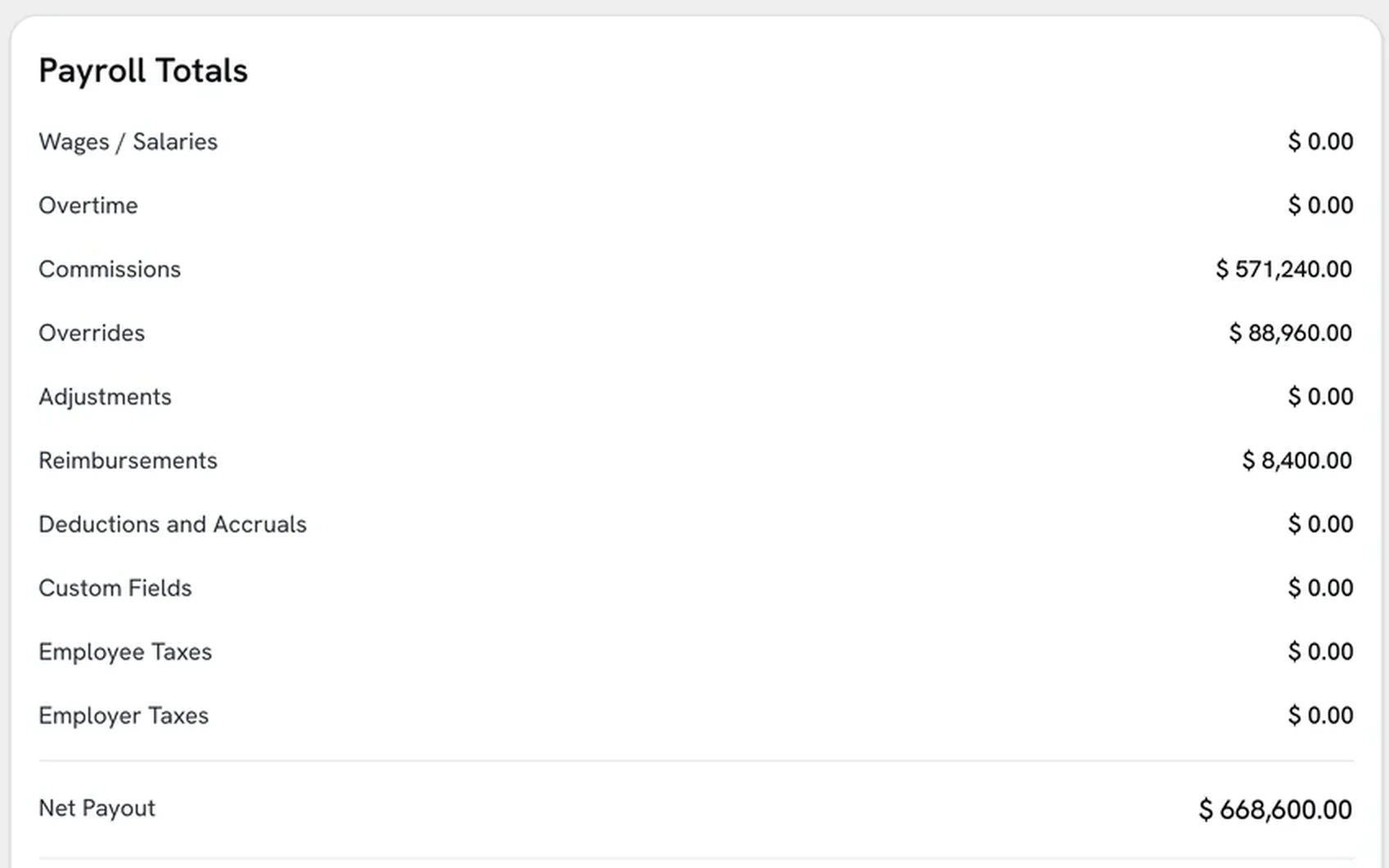
Route commission calculations through a structured approval flow before they reach payroll. Sales managers verify employee credits, finance confirms totals, and the approved figure is what routes into payroll.
what payroll actually ran
03 · Payroll Routing
Approved commissions flow directly into payroll
Once commissions are approved, they route directly into Sequifi's payroll workflow, no re-entry, no copy-paste between systems. The calculation that got approved is exactly what gets paid.

Payroll
Routed from commissions
Into this payroll run
$118,240
The figure that was approved is the figure that pays. No re-entry.
04 · Commission Insights
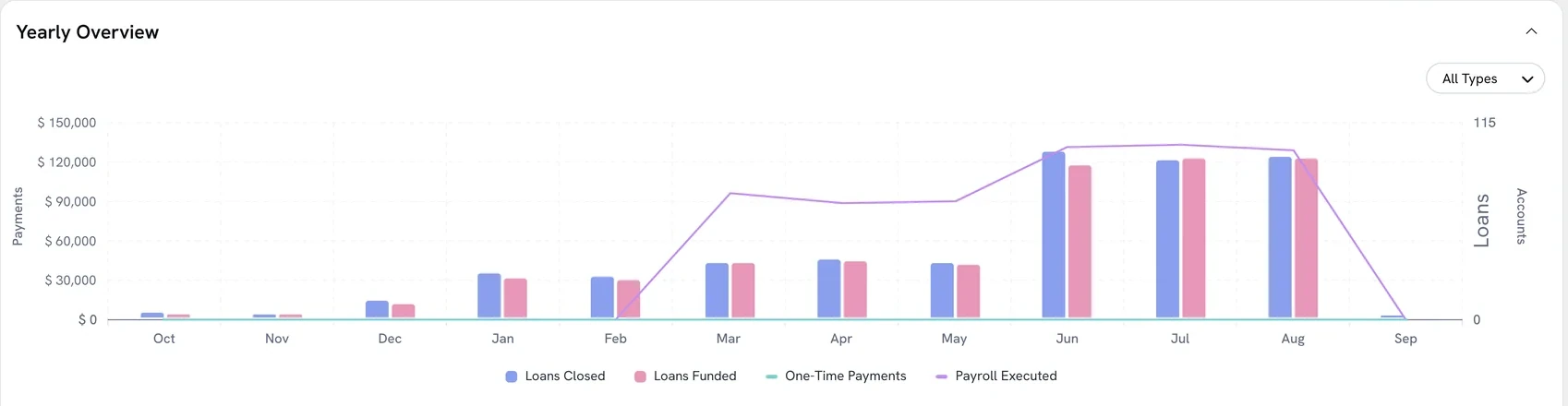
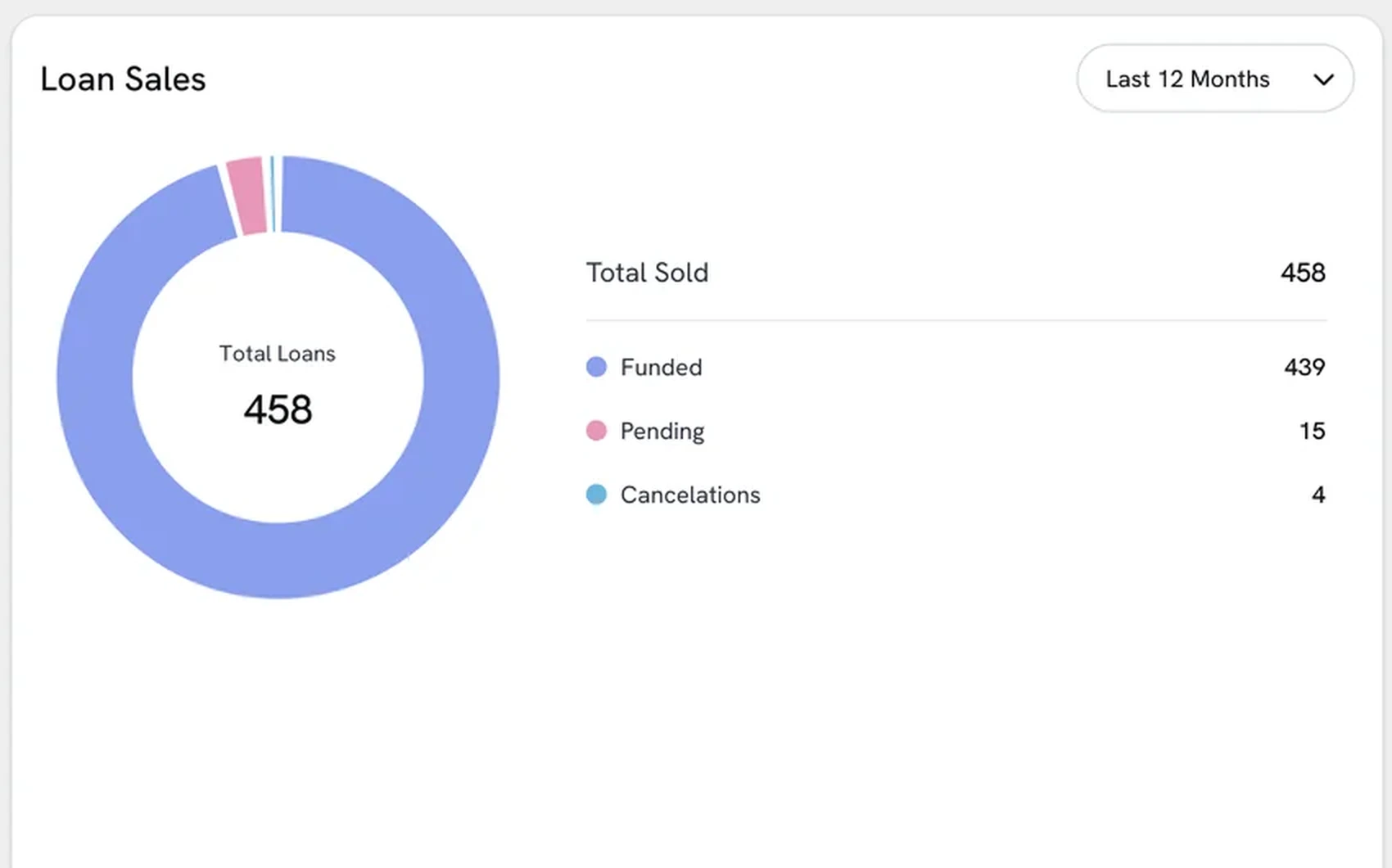
See every payout trend, rep by rep
Track commission totals, rule performance, and payout trends by employee, team, and period. Spot who's hitting tier thresholds, who's close to a bonus unlock, and where your commission rules are working as intended.
commissions, on their own line

Every employee knows exactly what they're getting paid
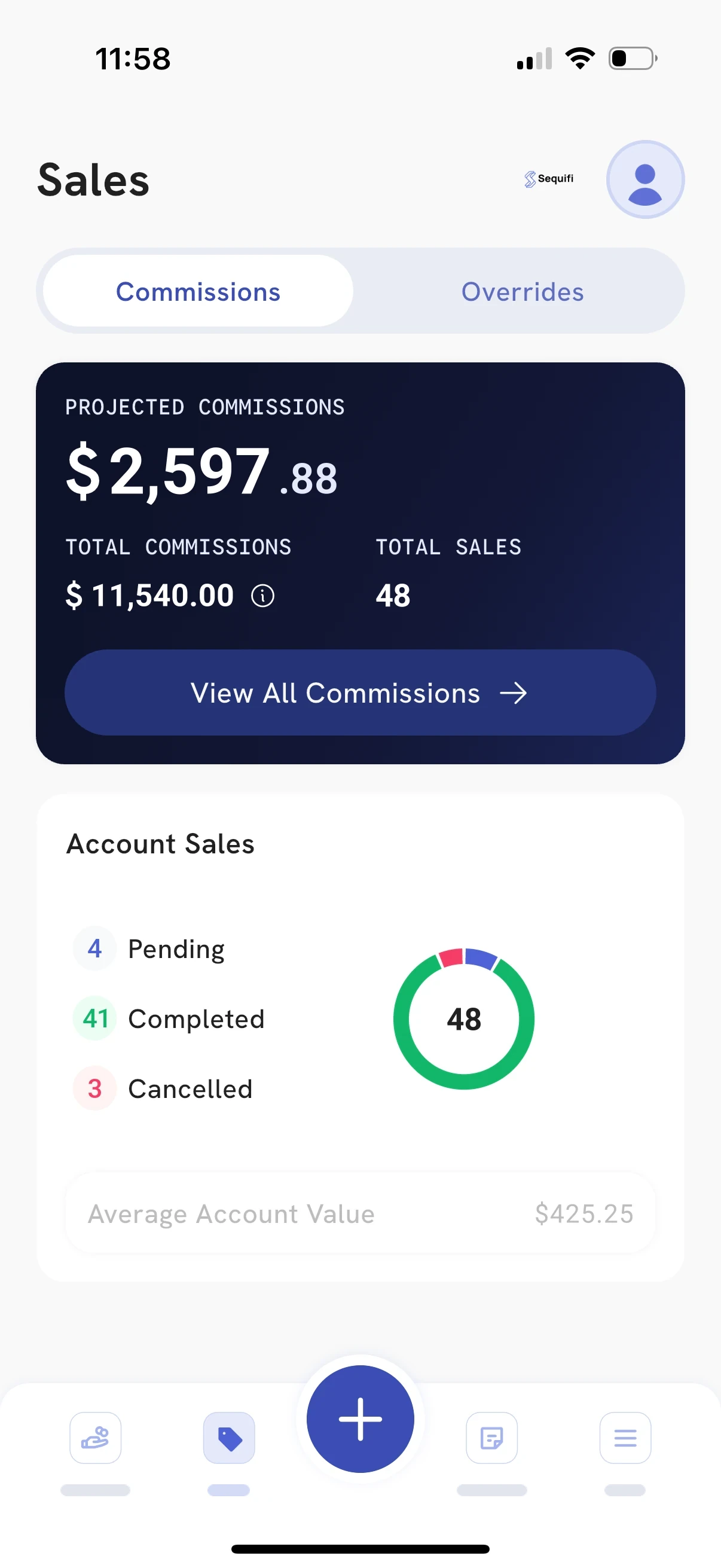
Commission statements are generated automatically each cycle, itemized by deal, rule, and amount. Employees see the math, so every question has an answer attached to it.
What it supports today
- Rate types
- Flat, tiered, margin based, per unit, recurring
- Credit splits
- Setter and closer, team splits, percentage or fixed
- Overrides
- Manager, branch and regional, stacked
- Adjustments
- Bonuses, draws and draw recovery, clawbacks with a set window
- Approvals
- Manager and finance sign-off, exception flags, full audit trail
- Data in
- CRM and field operations tools, or imported
- Data out
- Sequifi payroll, W-2 and 1099 in the same cycle
- Visible to reps
- Itemised statement in the app, by deal and rule
Comparing us with something else
Questions? We're glad you asked.
Sequifi handles flat rates, tiered commissions, quota-based multipliers, team overrides, manager overrides, split credits between setters and closers, draw and advance recoveries, and performance bonuses. Most home services and mortgage pay structures are supported out of the box or with minimal configuration.
Each payout comes with an itemized statement showing exactly which deals were credited, which rules applied, and how the total was calculated. Employees can see the math, so a question about a payout has an answer attached to it. For anything that escalates, the audit trail gives your team everything they need to resolve it quickly.
Yes. You can build separate commission plans for closers, setters, managers, technicians, or any other role, each with its own rules, thresholds, and payout logic. Multiple plans can run simultaneously across different teams, regions, or product lines.
Sequifi supports clawback rules that automatically reverse or reduce commission when a deal is canceled within a defined period. You set the clawback window and conditions, and the system handles the adjustment in the next pay cycle, no manual tracking required.
Yes. Sequifi connects with CRM and field operations tools to pull deal data directly into commission calculations, so your team isn't waiting for someone to manually enter a sale before their commission is triggered.
Most teams have their core commission rules configured and running within a few days. The setup process walks you through defining your plan logic, and Sequifi's onboarding team helps map your existing structure into the system so nothing gets missed.
Request a demo
See how Sequifi calculates commissions automatically from your rules, so your team gets paid right and your payroll team stops living in spreadsheets. Book a quick walkthrough.