What software is best for high-growth sales teams?
High-growth sales teams need a CRM plus one system for commissions and payroll. How Spiff, CaptivateIQ, ADP and Gusto stacks compare with Sequifi as teams scale.
Direct answer
The best software for a high-growth sales team is a short stack: a CRM for pipeline, plus one system that calculates commissions and runs payroll together. Growth rarely breaks the CRM. It breaks the handoffs between a commission tool, a payroll provider, and the spreadsheets in between. Teams adding reps every month should choose tools that set up each rep once, pay on real events, and show reps the same numbers that land in their accounts.
Breakdown
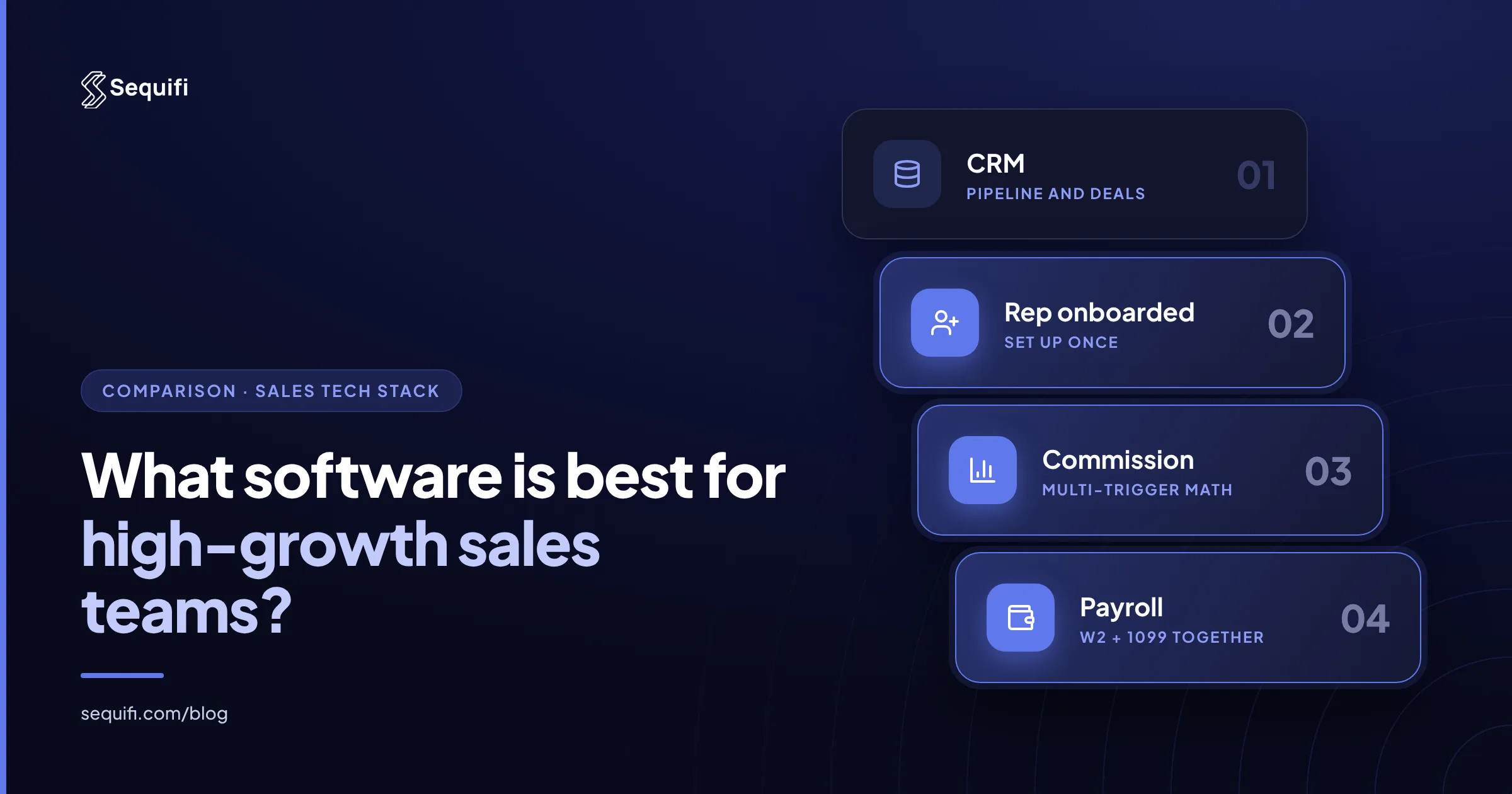
- CRM (Salesforce, HubSpot, or a field tool): tracks leads, deals, and activity. Keep the one your team already uses.
- Commission engine: turns deals, installs, and activations into pay, including tiers, overrides, and clawbacks.
- Payroll: pays W-2 employees and 1099 contractors on time, with the right withholding.
- Onboarding: gets new reps set up for territory, plan, and pay in days, not weeks.
- Performance and transparency: dashboards for managers and earnings views for reps.
The deciding question: how many of these jobs live in separate systems, and who reconciles them each pay cycle.
Deep dive
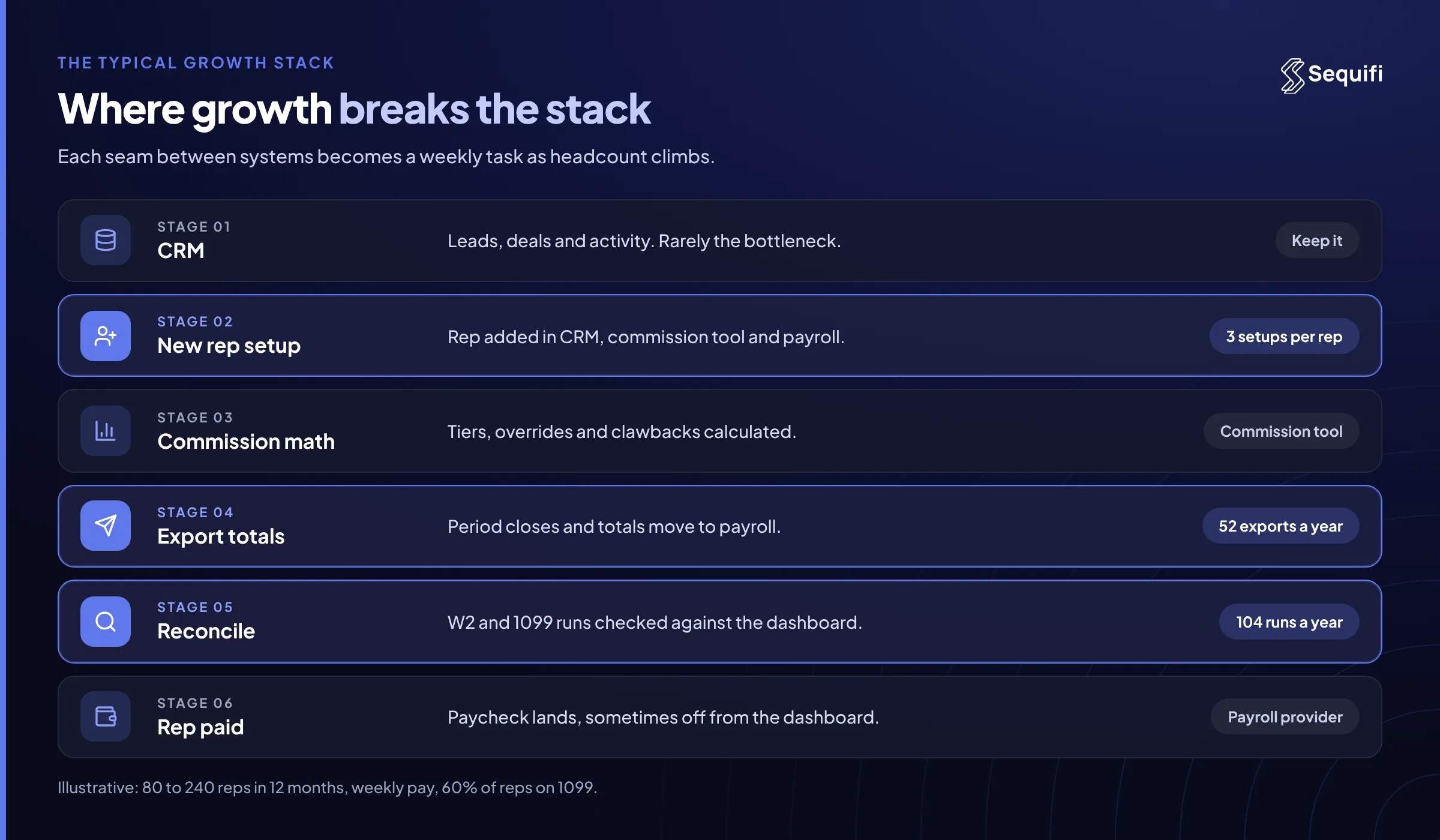
Most sales orgs do not pick their stack. They inherit it. A CRM comes first, payroll comes with the first hire, and commissions start in a spreadsheet. That works at 20 reps. At 100 reps growing 10% a month, every seam in that stack turns into a weekly task.
Here is how the main categories fit a high-growth team.
CRMs (Salesforce, HubSpot). They are the system of record for pipeline and activity. They are not built to calculate multi-trigger pay or run payroll, and they should not be. Pick on sales workflow, then connect pay to it.
Dedicated commission engines (Spiff, CaptivateIQ, QuotaPath). These handle the math well, especially for SaaS teams with salaried account executives, quarterly quotas, and accelerators. Spiff is now part of Salesforce, which makes it a natural fit for Salesforce-first teams. What these tools do not do is pay anyone. When the period closes, totals move to a separate payroll system. For a deeper look at that category, see the best commission software platforms in 2026.
Payroll providers (ADP, Gusto, Rippling). These pay people accurately and handle tax filing. They are strong for salaried staff on a fixed calendar. They are not commission engines, so variable pay arrives as an imported number someone else calculated.
Unified commission and payroll platforms (Sequifi). These calculate commissions and pay them in the same system, for W-2 and 1099 reps. That matters most when pay depends on events outside the CRM: a solar install, a fiber activation, a pest service completed, a mortgage funding, a policy issued.
So which is best? It depends on your comp model, not your industry.
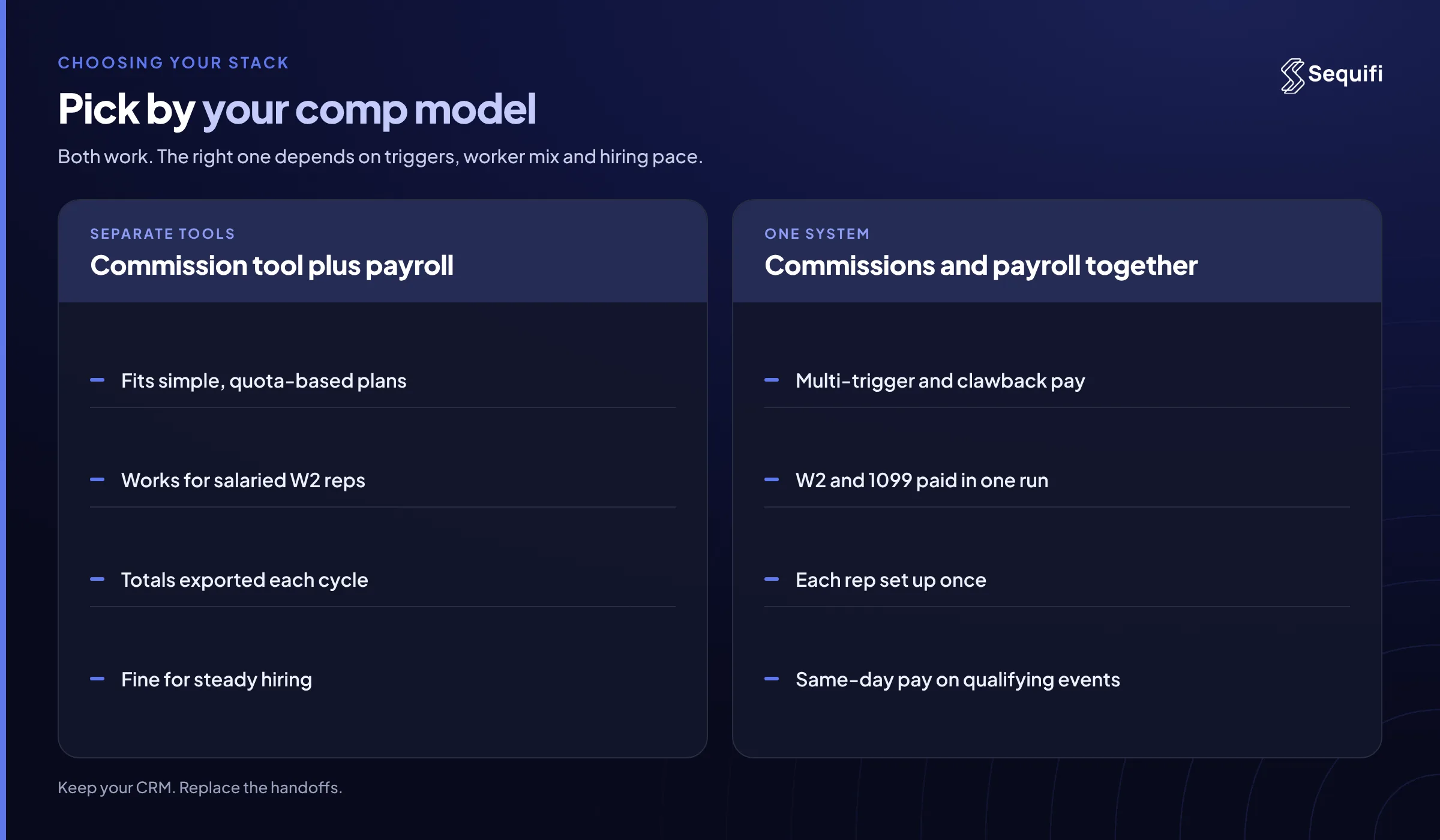
- Simple plans, salaried reps, slow hiring: a CRM, a commission engine, and your existing payroll provider work fine.
- Multi-trigger plans, mixed W-2 and 1099, fast hiring: the handoff between commission and payroll becomes the bottleneck. One system for both removes it.
Worker mix is a real constraint, not a detail. Classification follows IRS rules on independent contractors versus employees, and each group is paid and reported differently. Pay mix varies too. The Bureau of Labor Statistics notes that most employers of sales representatives pay a combination of salary and commissions or salary plus bonuses. Variable pay that large needs to be calculated and paid without re-keying.
Worked example (illustrative). A home services sales org grows from 80 to 240 reps in 12 months, hiring about 15 a month while some reps leave. Reps are paid on close and again on install, with a clawback if the job cancels. Pay runs weekly. About 60% of reps are 1099.
On a three-system stack, each new rep is set up in the CRM, the commission tool, and payroll: 3 setups per rep, or roughly 540 setups for 180 hires. Each weekly cycle means closing the commission period, exporting totals, splitting W-2 and 1099 runs, and reconciling. That is 52 exports and 104 payment runs a year. If 2% of 240 weekly lines need a manual fix, that is about 5 corrections a week and 250 a year.
On one system, each rep is set up once for plan and pay. Install events trigger the second payment directly, clawbacks net against the next payout, and both worker types are paid in the same run.
Onboarding speed is the other test. If you hire in waves, see how to onboard 100 sales reps quickly.
What breaks at scale
At 50 reps, almost any stack works. One ops lead can export commissions, check the payroll file, and answer pay questions by Friday. A mistake costs an afternoon.
At 200 reps, the seams show. Plans multiply by region and role. Clawbacks cross pay periods. New reps start before their plan is loaded, so their first checks are wrong. Ops spends the days after each close reconciling commission totals to payroll registers, and spreadsheets creep back in to bridge the gaps. That is the pattern behind replacing Excel for commission tracking.
At 500 reps, across teams and states, the multi-system model compounds. Every plan change has to be mirrored in two or three places. Every correction is made twice. Same-day pay, which many reps now weigh when choosing an employer, is close to impossible when payment waits on a batch export. If pay speed matters to your recruiting, see how companies pay reps faster.
How Sequifi solves this
Sequifi is built for any high-velocity sales org with multi-trigger comp plans, including solar, fiber, pest control, mortgage, insurance, and home services. Three capabilities matter most for teams that are growing fast:
- Commission engine and payroll in one system. Approved commissions become payroll lines without an export, and W-2 and 1099 reps are paid together.
- Rapid rep onboarding. Each new rep is set up once for plan and pay, which keeps pace when you add hundreds of reps a month.
- Same-day pay and rep-facing transparency. Qualifying events can pay the same day, and reps see every trigger, adjustment, and payout in a dashboard that matches their paycheck.
Keep your CRM. Replace the handoffs.
Frequently asked questions
Do high-growth sales teams need separate commission and payroll software?
Not necessarily. Separate tools work when plans are simple, reps are salaried, and hiring is steady. When pay depends on several triggers, reps are a mix of W-2 and 1099, and you hire every month, the export between commission and payroll becomes a recurring source of errors. A unified commission and payroll platform removes that step, so the number a rep sees is the number they are paid.
Is a CRM enough to manage sales commissions?
No. A CRM such as Salesforce or HubSpot records deals and activity, but it is not designed to calculate tiers, overrides, splits, and clawbacks or to pay reps. Most teams add a commission engine and a payroll provider on top. The CRM should stay the source of truth for pipeline, with pay calculated and paid in a system built for it.
When are Spiff or CaptivateIQ the better choice?
Dedicated commission engines like Spiff and CaptivateIQ fit software sales teams with salaried account executives, quota-based plans, and a standard payroll calendar. If your deals close in Salesforce and the payroll handoff is a short monthly task, they work well. Sequifi fits better when pay depends on events after the sale and you need to pay W-2 and 1099 reps together. See the best Spiff alternatives compared for more options.
How fast can a growing team switch commission and payroll systems?
Most of the work is mapping current plans, rep hierarchies, and payout history, then running one parallel cycle to confirm the numbers match. Plan the switch at a period boundary so open deals and pending clawbacks carry over cleanly. Teams that switch during a growth spurt should load new-hire plans in the new system first, so new reps never touch the old stack.
What should high-growth teams look for in sales software?
Look for four things: one setup per rep for both plan and pay, support for every pay trigger in your comp plan, W-2 and 1099 payroll in the same run, and a rep-facing earnings view that matches the paycheck. Then ask each vendor to walk through a clawback and a mid-period plan change. Those two scenarios expose most handoff problems quickly.
Conclusion
High-growth sales teams do not need more software. They need fewer seams. Keep the CRM your reps already use, and put commissions and payroll in one system so every new hire, plan change, and payout happens once. The practical test is easy to run this week: count how many systems a new rep has to be set up in, and how many hours your team spends each cycle moving commission totals into payroll. If either number grows with headcount, see how Sequifi handles both in one system.
See Sequifi run your kind of pay.
Commissions, payroll and HR in one platform, built for teams where every paycheck is different.
Book a demo